
Generate and print free Tic Tac Toe printable PDF grids with multiple layout options for endless fun. Choose from 1, 4, 6, 9, or 12 games per page—perfect for kids, classrooms, travel activities, parties, and quick brain breaks. Download high-quality Tic Tac Toe worksheets instantly and enjoy a classic game anywhere, anytime with no setup required.
Tic Tac Toe Printable Generator
Create and print your custom Tic Tac Toe grids below:
Opens in a new tab for easy printing on mobile
Why You’ll Love It
- Print multiple Tic Tac Toe grids instantly
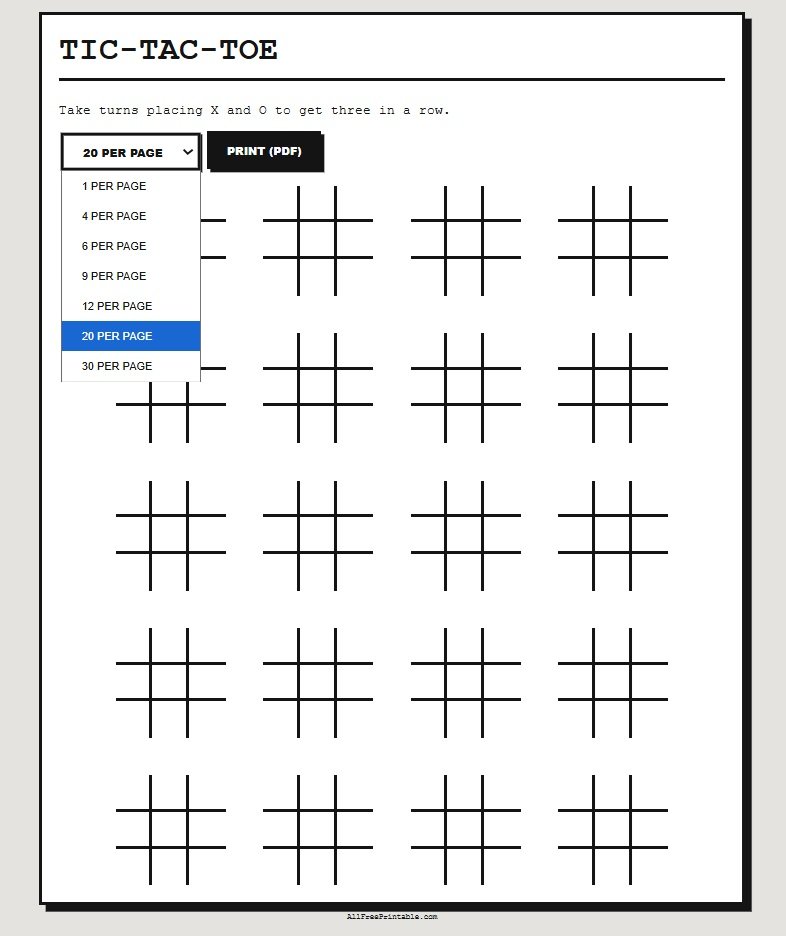
- Choose from 1, 4, 6, 9, 12, 20, or 30 grids per page.
- Perfect for classrooms, travel, and quick games
- No prep—just print and play
Popular Printable Tic Tac Toe Pages
- 1 Per Page Tic Tac Toe
- 4 Per Page Tic Tac Toe
- 6 Per Page Tic Tac Toe
- 9 Per Page Tic Tac Toe
- 12 Per Page Tic Tac Toe
- 20 Per Page Tic Tac Toe
- 30 Per Page Tic Tac Toe
- Large Tic Tac Toe Grid
More Printable Tic Tac Toe Grids?
Download Tic Tac Toe worksheets in PDF format for unlimited play. Great for classrooms, parties, and on-the-go activities. Great for classrooms, parties, and on-the-go activities.
Try More Free Puzzle Games & Tools
- Word Search Puzzles
- Sudoku Puzzles
- Word Scramble Games
- Maze Puzzles
- Number Search Puzzles
- Play Slide Puzzle Game
🧠 How It Works
Tic Tac Toe is a two-player game played on a 3×3 grid. Players take turns placing X and O in empty squares, trying to create a line of three in a row.
🕹️ How to Play
Choose who goes first (X or O). Take turns placing your mark in an empty square. The goal is to get three in a row—horizontal, vertical, or diagonal—before your opponent.
⚙️ Game Features
- Choose layouts: 1, 4, 6, 9, 12, 20, or 30 grids per page
- Print multiple games for repeated play
- Perfect for classrooms, travel, and quick activities
- Print and play anytime
📊 Game Outcome
The first player to get three in a row wins. If all squares are filled and no player completes a line, the game ends in a draw.
💡 Tips
Start in the center for better control, block your opponent’s moves, and think ahead to create winning opportunities.
Instructions: This free printable is available in portable document format PDF. You will need Adobe Acrobat Reader to view and print when you download. Get Adobe Acrobat Reader here. The answer key can be found on page #2 of the PDF.
Printing Instructions:
1. Click the Menu symbol >> located at the top right corner of the PDF Viewer.
2. Select "Print" to open a print window, adjust the print settings and print.
Download Instructions:
1. Use the "Download" button to download to your device default location.
2. Or you can click the menu symbol >> of the PDF Viewer and select Download.
Full Screen Viewing Instructions:
1. Use the "View Full Screen" button to open the PDF document in a new tab. From this new window you can also Print or Download the document.